> For the complete documentation index, see [llms.txt](https://docs.adalysis.com/llms.txt). Markdown versions of documentation pages are available by appending `.md` to page URLs; this page is available as [Markdown](https://docs.adalysis.com/product/product-updates/q4-2025.md).
# Q4 2025
Product updates in October - December 2025
## Dec 23
### Performance monitor and alert improvements
We’re continuing our work to consolidate tools across Adalysis and simplify screens, making the platform easier to use.
We’ve improved both the functionality and design of one of the most popular features in Adalysis: performance monitors and alerts.
#### **What's new**
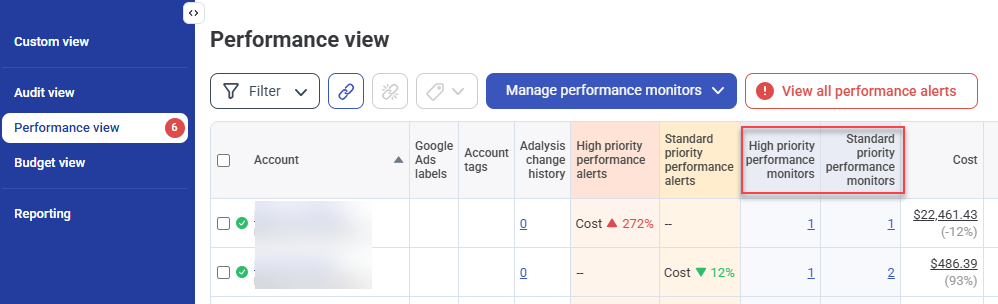
Performance monitors can now be high or standard priority. Two priority levels make it easier to separate your critical KPIs from other metrics. This split will help you prioritize the more important issues.
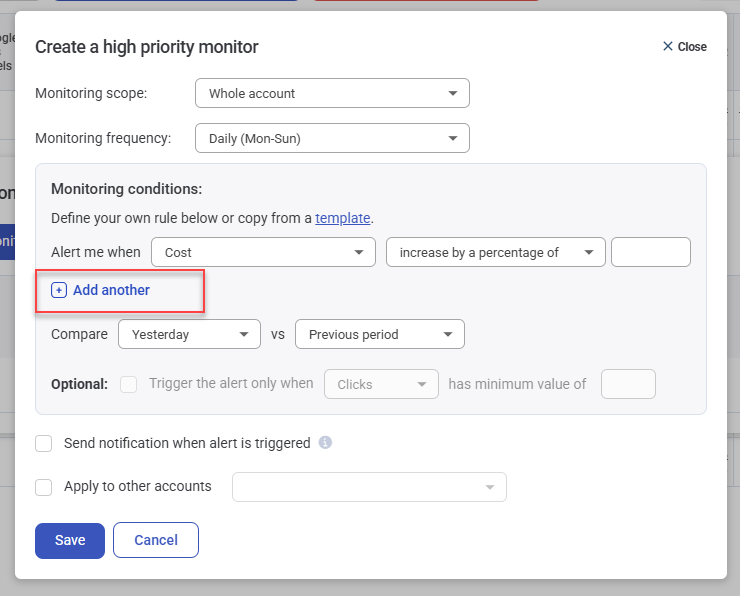
Monitors can now track two metrics, instead of only one. This offers you more control and choice over monitoring performance trends.
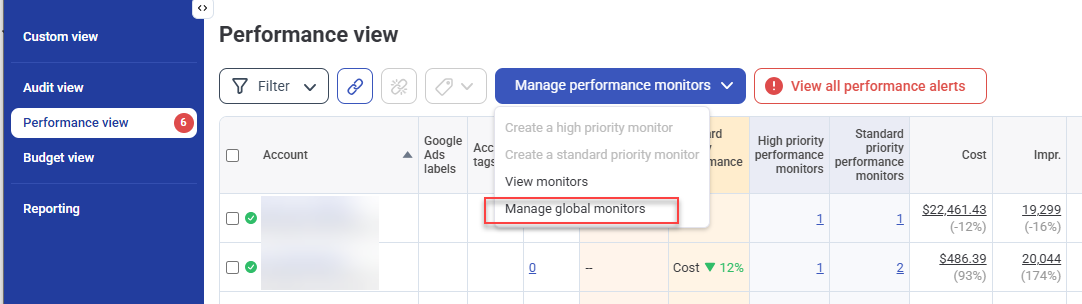
It’s also now easier to view and manage **global monitors**. Global monitors allow you to define your monitoring criteria once and apply them to every existing or new account you link. This makes it much easier to maintain consistency across all your accounts.
Global monitors can now be accessed directly from the **Performance view** (instead of the old global template).
## Nov 24
### Budget screens redesigned
We've fully redesigned the budget screens to integrate and consolidate all the budget tools added to the platform this year.
Here's a quick overview of the new layout:
{% embed url="" %}
## Nov 1
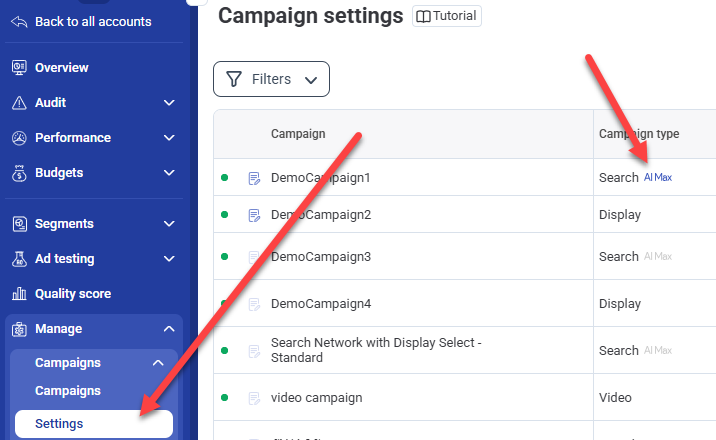
### Review AI Max status
You can now see whether AI Max is enabled for any Search campaign directly in Adalysis:
### Call ads can no longer be edited
Google is deprecating the ability to edit Call Ads. We've now removed this feature from Adalysis.