> For the complete documentation index, see [llms.txt](https://docs.adalysis.com/llms.txt). Markdown versions of documentation pages are available by appending `.md` to page URLs; this page is available as [Markdown](https://docs.adalysis.com/tools/audit/prebuilt-alert-list/account/recommendations-from-google.md).

# Recommendations from Google

Alert name: Account has recommendations from Google

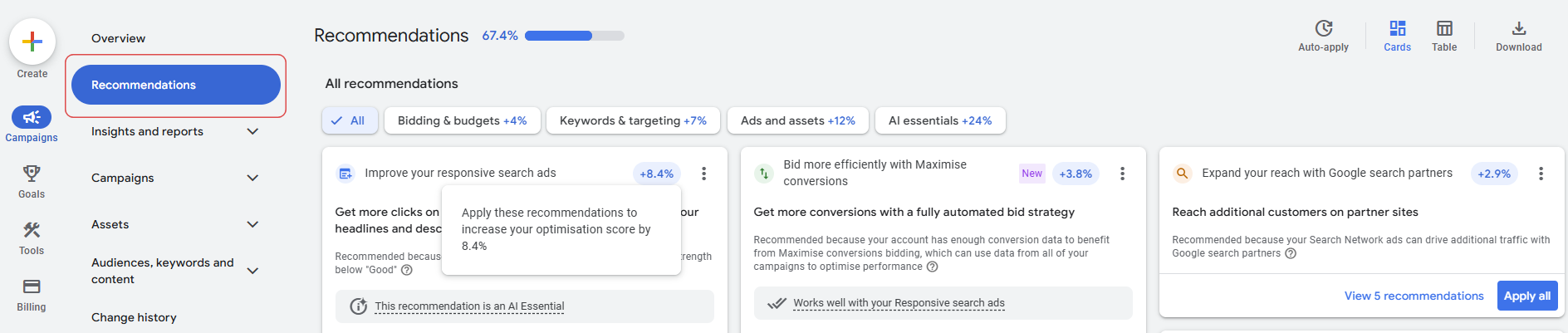
Google may make recommendations, which it uses to calculate your account's Optimization score.

<figure><img src="https://3203600314-files.gitbook.io/~/files/v0/b/gitbook-x-prod.appspot.com/o/spaces%2FGlXujWJyreRidNjZDCw2%2Fuploads%2FjHSqkguAq3aLXitgyybg%2Fimage.png?alt=media&amp;token=a40852d5-a012-439b-b78b-5ff7b1cc870a" alt="" width="563"><figcaption></figcaption></figure>

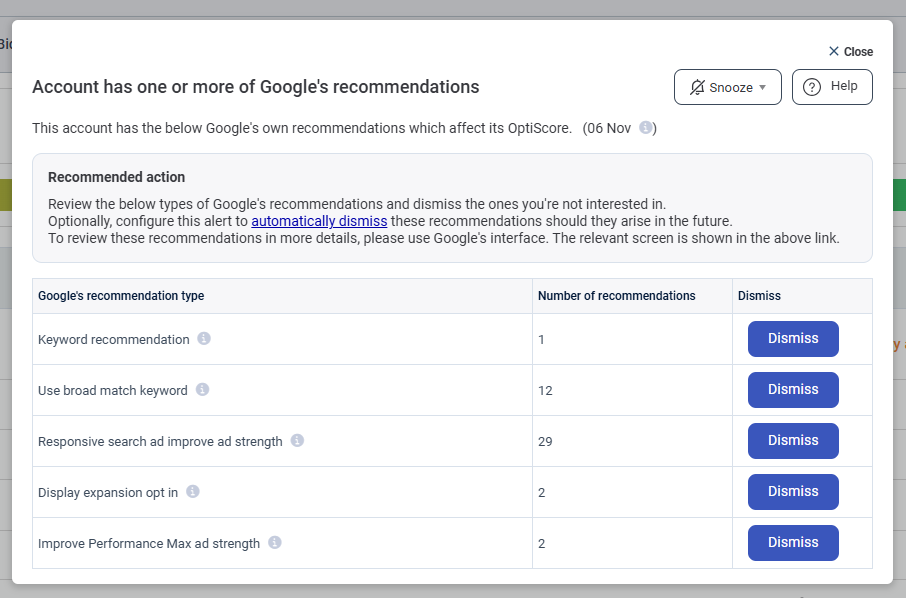
Adalysis now alerts you to these recommendations. It also updates Google Ads, so you don't have to switch screens.

You can **dismiss** categories directly from the alert if they're not relevant.

<figure><img src="https://3203600314-files.gitbook.io/~/files/v0/b/gitbook-x-prod.appspot.com/o/spaces%2FGlXujWJyreRidNjZDCw2%2Fuploads%2F1zLzOvaqpSTGItuIXB85%2F%7BA15EA989-A543-47F1-9EEA-51E81D26F17B%7D.png?alt=media&amp;token=25b9c797-ff5d-4e9c-8368-d1ad24c550d4" alt="" width="433"><figcaption></figcaption></figure>

To dismiss them automatically in future, go to **Audit** > **Audit settings** > **Prebuilt** > **Account** and select the relevant categories.

<figure><img src="https://3203600314-files.gitbook.io/~/files/v0/b/gitbook-x-prod.appspot.com/o/spaces%2FGlXujWJyreRidNjZDCw2%2Fuploads%2FqYhQbAU3B66bprkWpdni%2Fimage.png?alt=media&amp;token=309f972c-5549-4ab5-9af0-e0d6d1aafe20" alt=""><figcaption></figcaption></figure>